Homework first. Then the phone comes back.
Two apps, two iPhones. You start homework time from anywhere, and the apps you picked stay shut until you have seen a photo of the finished work.

01Setting up
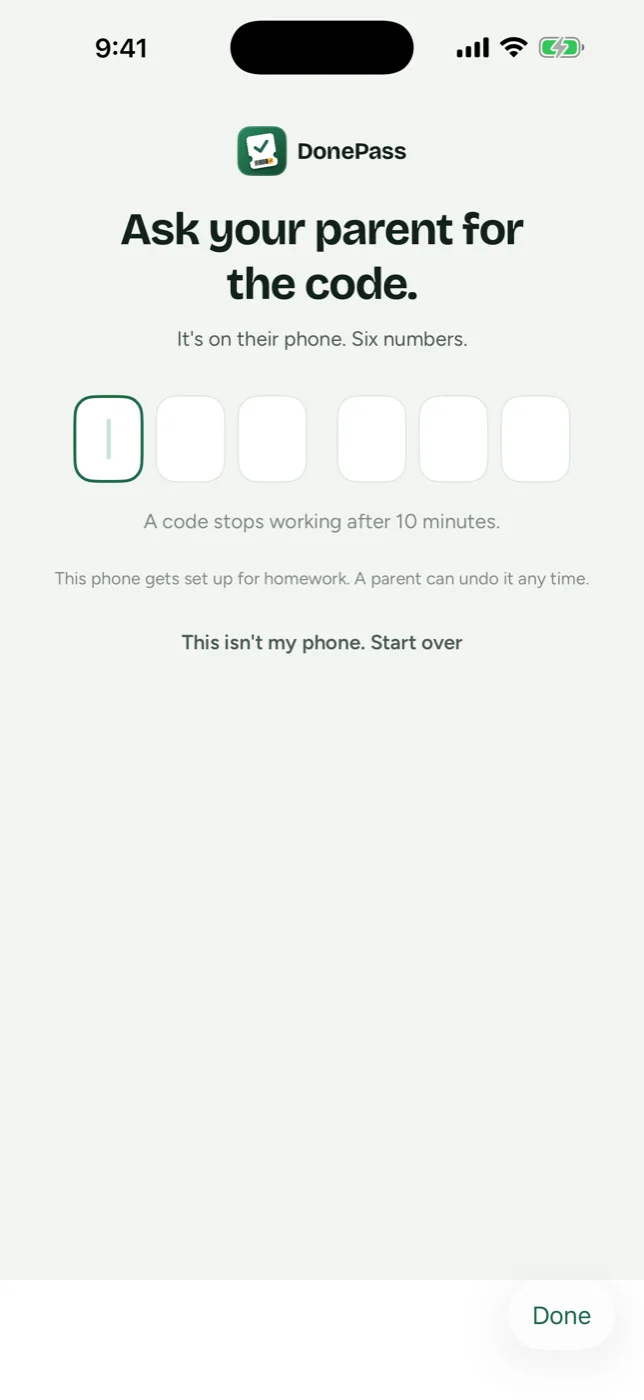
Two iPhones, six digits, about two minutes.
Install DonePass on your phone and on theirs. Their phone asks for a six-digit code, you read it off yours, and the pairing is done. You pick which apps wait in the same sitting, in Apple's own picker. After that you never need their phone again.
Kid phone 02Homework starts
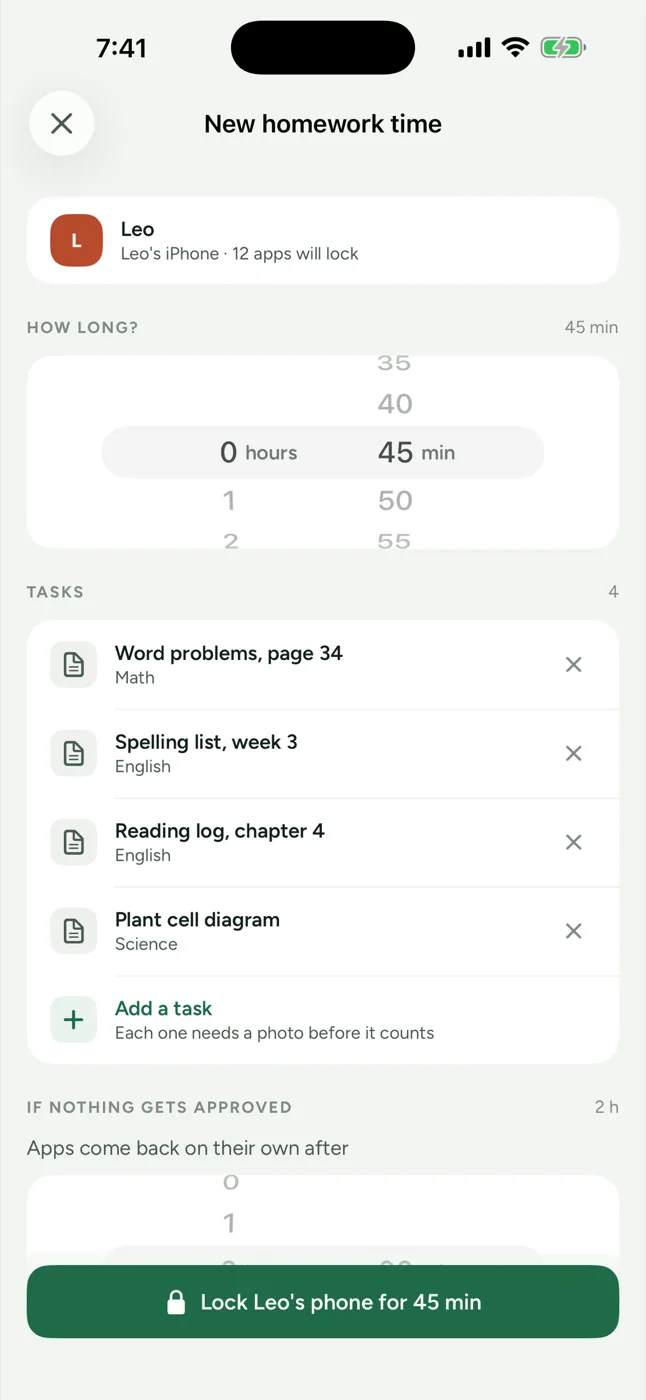
You start it from wherever you are.
Set how long it runs, type tonight's list, tap once. You can be in the kitchen, at work, or sitting in the car outside practice.
Parent phone 03The apps go quiet
The ones you picked stop opening.
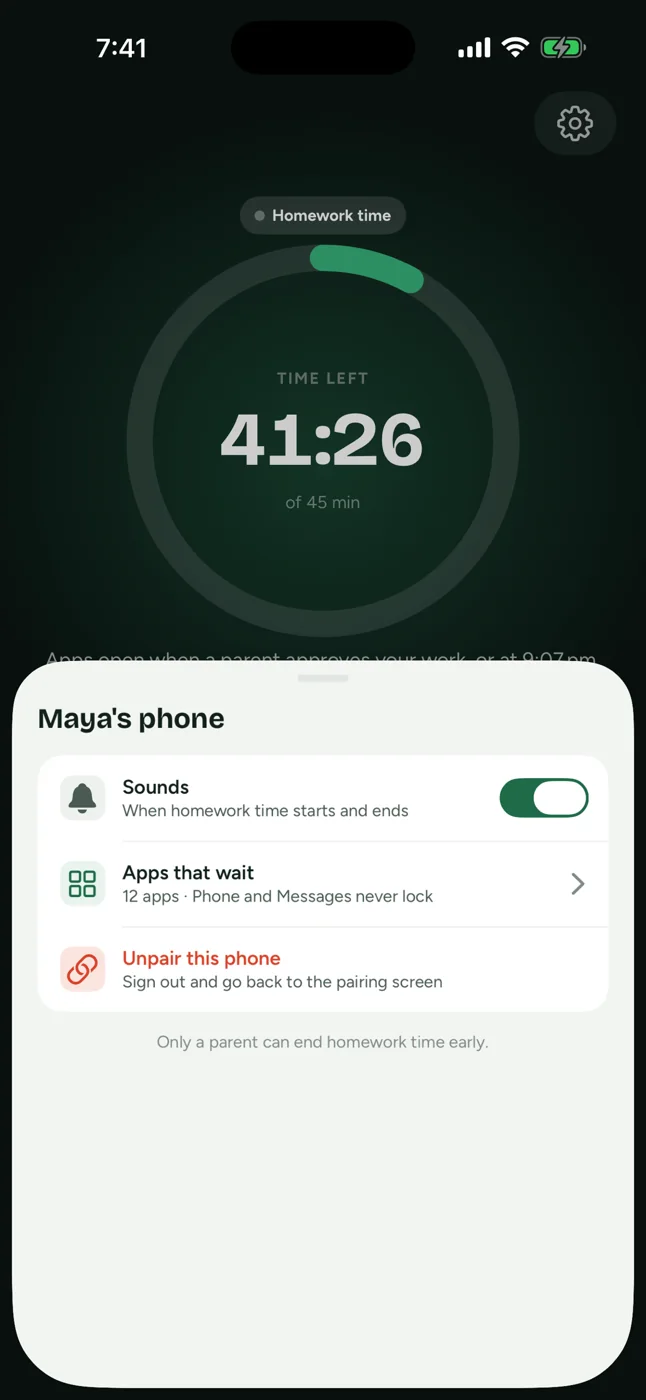
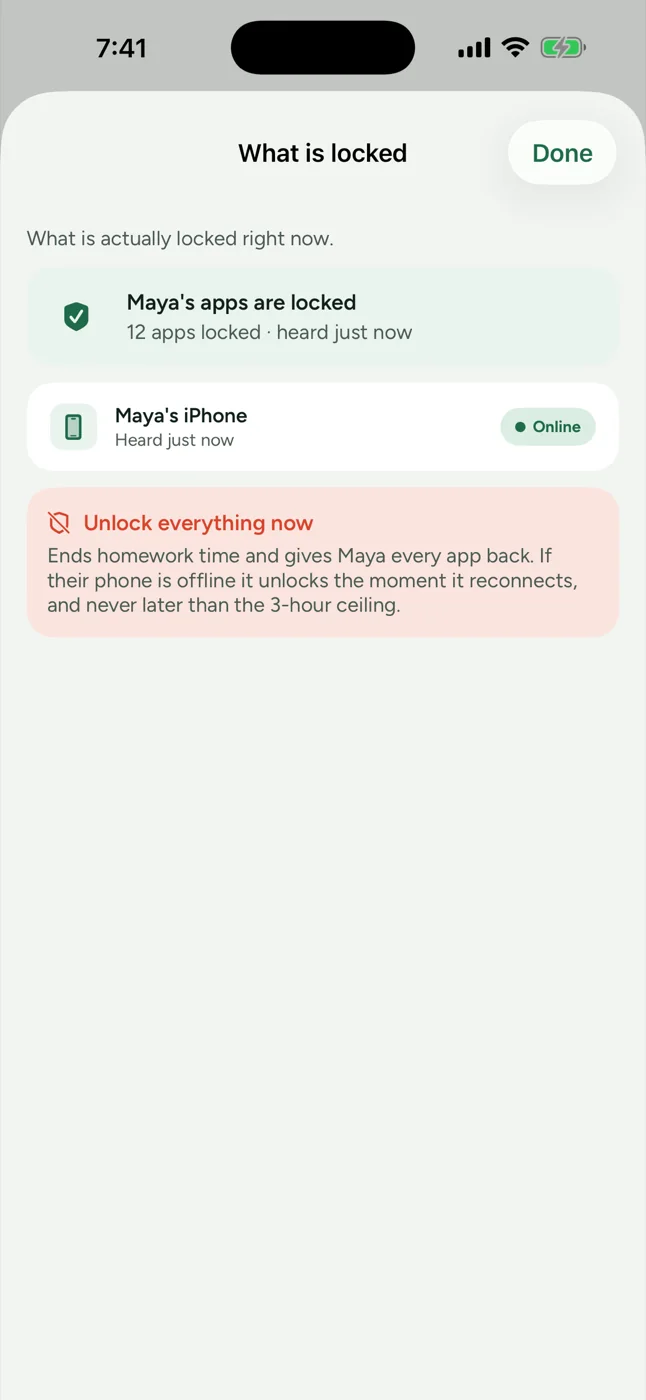
You chose them once, on their phone, in Apple's picker. DonePass is never told which ones they were. It gets a number back, which is why both screens say twelve apps and neither says which twelve.
Kid phone 04Never locked
Calls and messages still get through.
Phone, Messages and FaceTime come out of the list before any of it is applied, and no whole category is ever locked. A locked phone is still a phone. We tested that on a real handset before writing this sentence.
7:41ChatClipsMusicArcadeCameraPhotosBrowserPodcastsMapsWeatherMailCalendarNotesRemindersBooksFilesClockCalculatorTranslateFitnessWalletStoreMarketsHomeKid phone 05While it runs
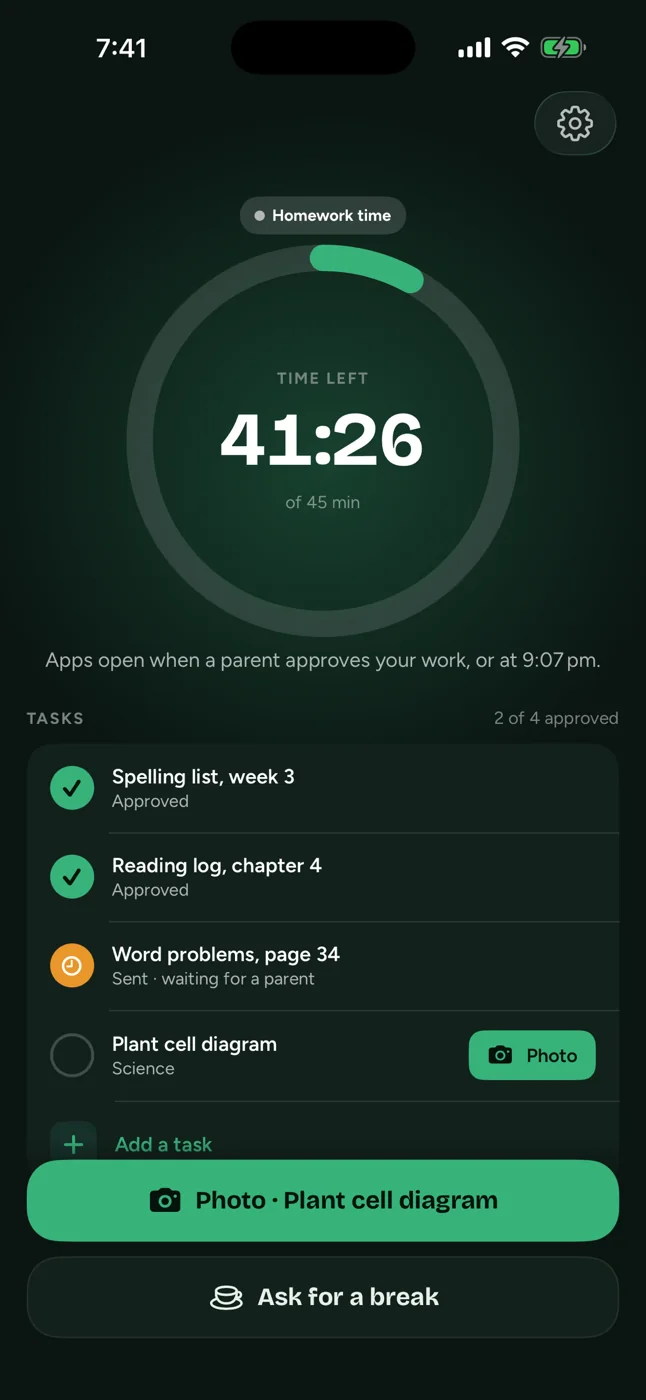
The clock and the list sit on their screen.
They can see how long is left and what is still to do. If they need five minutes, they ask from their phone and you answer from yours, and the timer holds while you decide.
Kid phone 06The proof
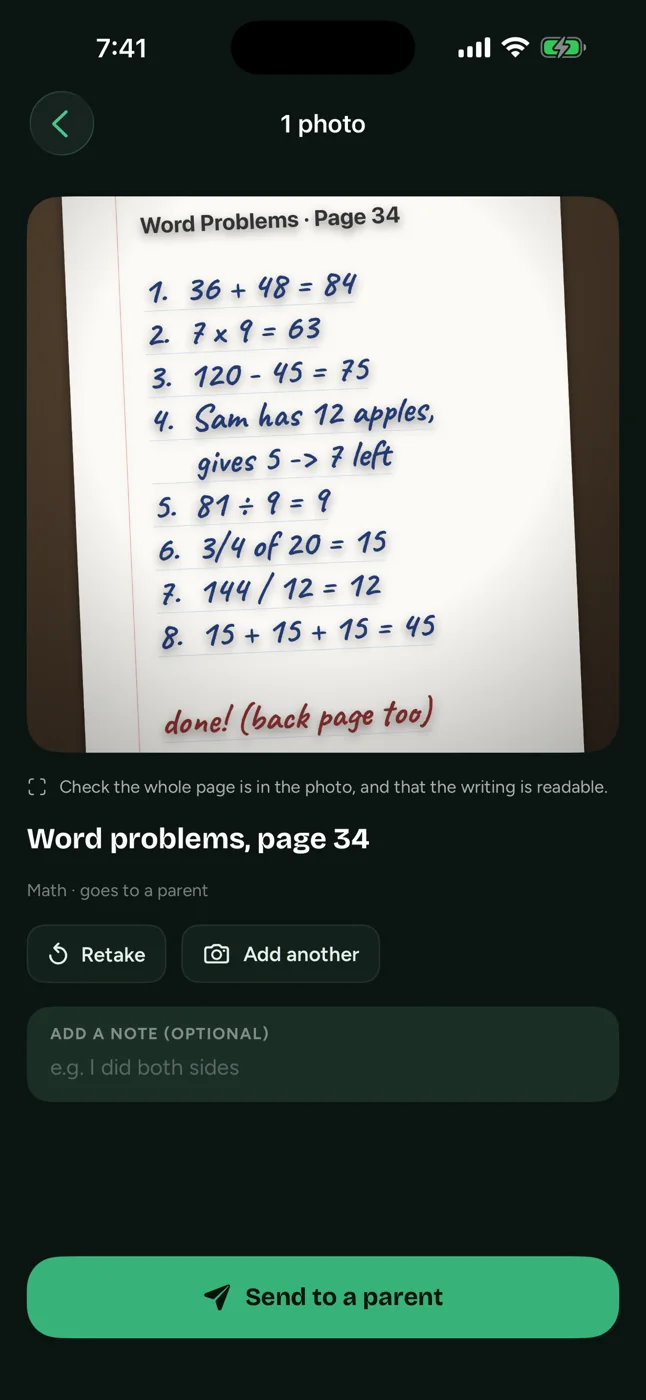
A photo of the finished page.
Taken with the camera, then and there. There is no way to pull an old one out of the camera roll, which is the only reason the photo means anything.
Kid phone 07Your call
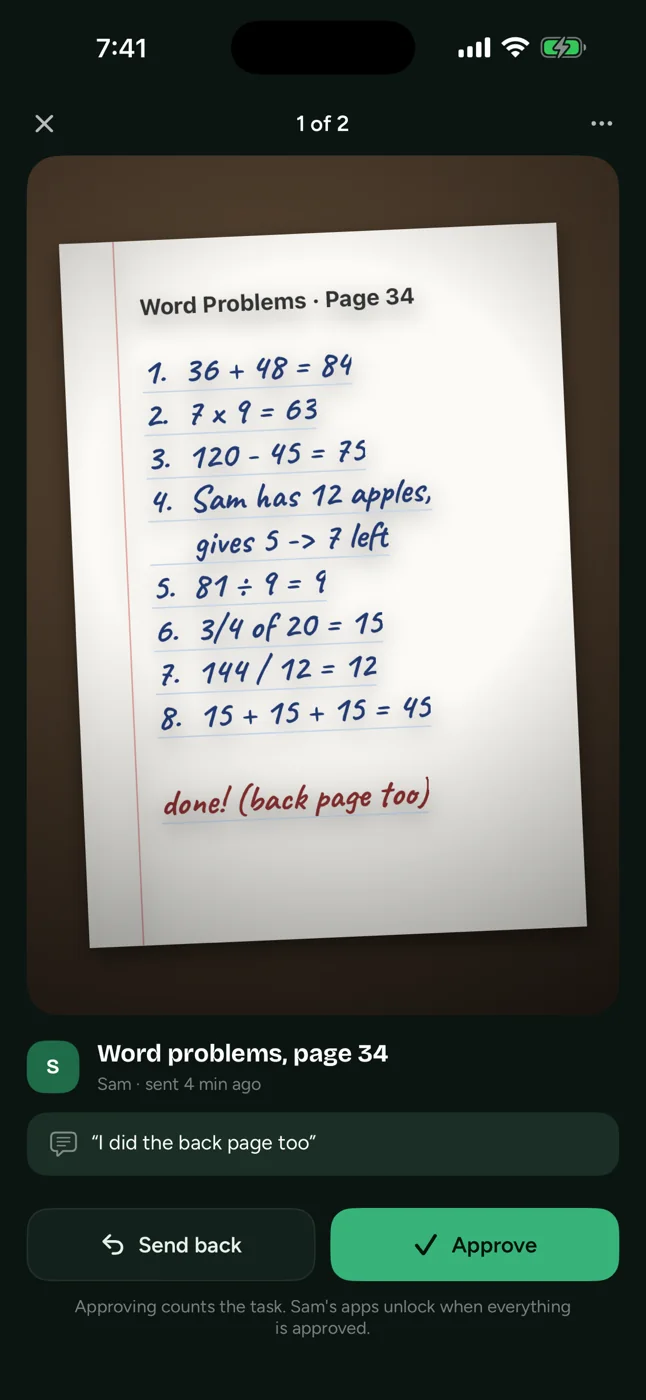
You look at it, and you decide.
Approve it, or send it back with a note about what is missing. It takes about ten seconds and you can do it standing up.
Parent phone 08Done
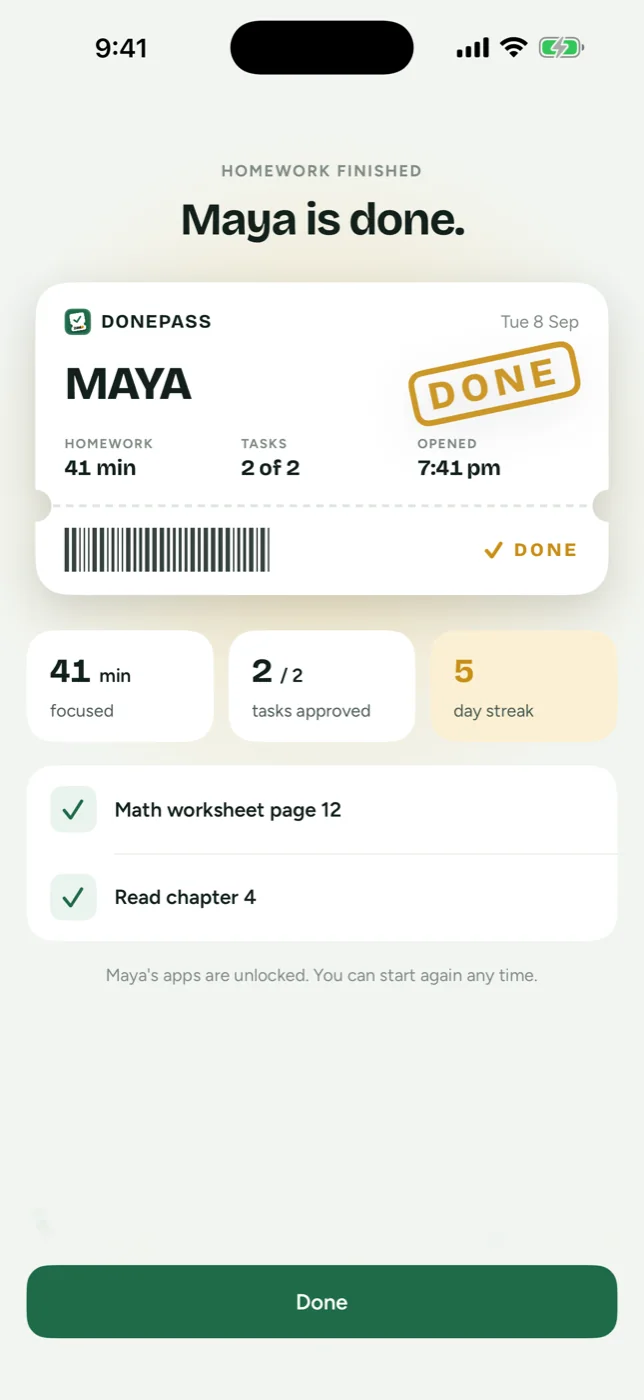
The pass gets stamped.
Minutes focused, tasks approved, another day on the streak. Their apps open again and nobody had to argue about it.
Parent phone 09Any time
One tap gives everything back.
"Unlock everything now" is on your screen the whole time and it is never behind a purchase. Their phone acts on it in about a second. Nothing runs past 3 hours either way: their own phone holds that ceiling, with no internet and even with DonePass deleted.
Parent phone 10Over time
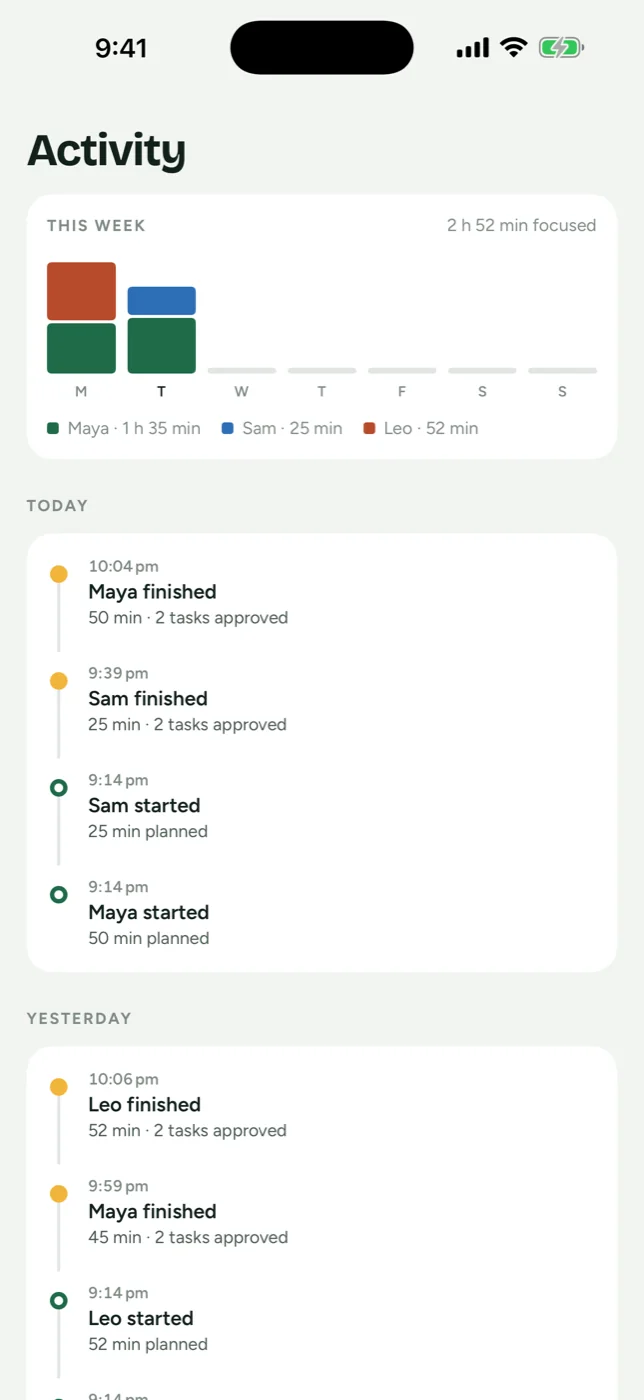
The week adds itself up.
Minutes focused and tasks approved, per child, per day, with the evening's timeline underneath. Nobody has to fill anything in for it to be there.
Parent phone 11What we can see
Almost nothing, and that is deliberate.
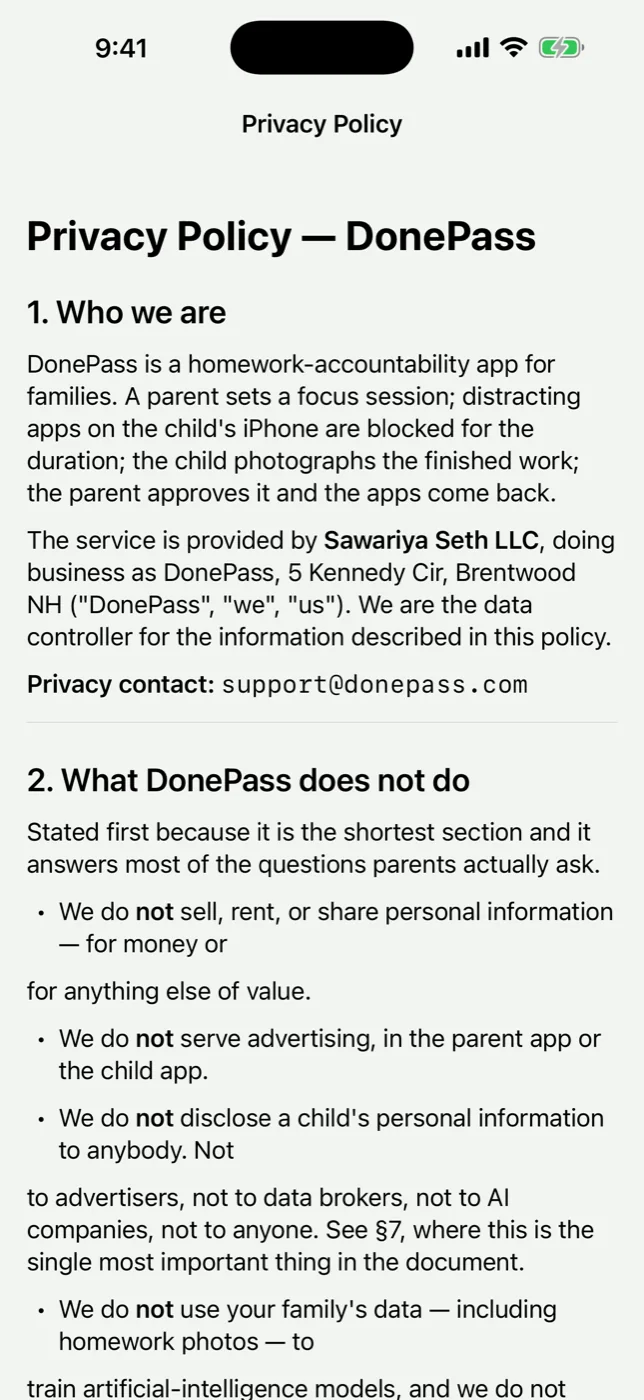
No advertising, no analytics brokers, no third-party code in your child's app. The photo goes to you and stops: no public link, nothing handed to an AI service, nothing trained on it. Export the lot or delete the account from Settings, in the app.
Parent phone
What it costs
Free for one child. $19.99 for the rest.
Free
$0
for one child
- One child
- Homework times you start yourself
- Tasks, photo proof and approvals
- 7 days of history
Monthly
$4.99
a month
- Everything in free
- Every child in the family
- Homework times that start themselves
- Saved settings, and all of the history
One-off
$19.99
once
- Everything in monthly
- Paid once. It never renews.
Apple takes the payment, so it is your Apple Account and never a card we hold. One price covers the family, never one per child. What each one includes.
Straight answers
The things people actually ask.
01Does my child need their own iPhone?
Yes. DonePass is two apps on two iPhones, yours and theirs, both on iOS 17 or later. There is no iPad, Mac, Android or web version, and there is no way to run the child's side on your phone.
02Can my child get around it?
It depends on how their phone is set up, and we would rather say so here than let you find out on a Tuesday. On a child account inside your Family Sharing group, Screen Time access is approved with your Apple ID, and turning it back off asks for your Apple ID too. On a phone with its own Apple Account, iOS deliberately leaves a way out through Settings. That is Apple's design, not ours. DonePass tells you when it happens instead of pretending it did not.
03What if the phone is locked and they need me?
They will not be stuck. Phone, Messages and FaceTime keep working the whole time, every homework time carries a hard 3-hour ceiling their own phone enforces, and you can lift everything from your phone in one tap, offline included.
04Do I have to take their phone off them to set it up?
Once, for about two minutes. iOS gives no way to grant Screen Time access to another device remotely, so the first setup happens with their phone in your hands. After that you never touch it again.
05Which apps get locked?
The ones you pick, in Apple's own picker, on their phone. You can change the list whenever you like. DonePass itself is never told which apps you chose: it gets a count back and that is all it stores, which is why your screen says twelve apps rather than naming them.
06What happens to the photos?
They go to you. They are kept in a gallery per child alongside the task each one belonged to and what you decided, and you can delete them. They are not public, not sold, not shown to anybody else, and not handed to an AI service or used to train anything.
07Is there an Android version?
No, and there is not going to be one soon. The blocking is built on Apple's Screen Time and Family Controls, which have no equivalent we would trust on Android.
Anything else goes to support@donepass.com, read by a person at Sawariya Seth LLC.
Try it on tonight’s homework.
Setting it up takes about two minutes with both phones in front of you, and you only have to do it once.